|
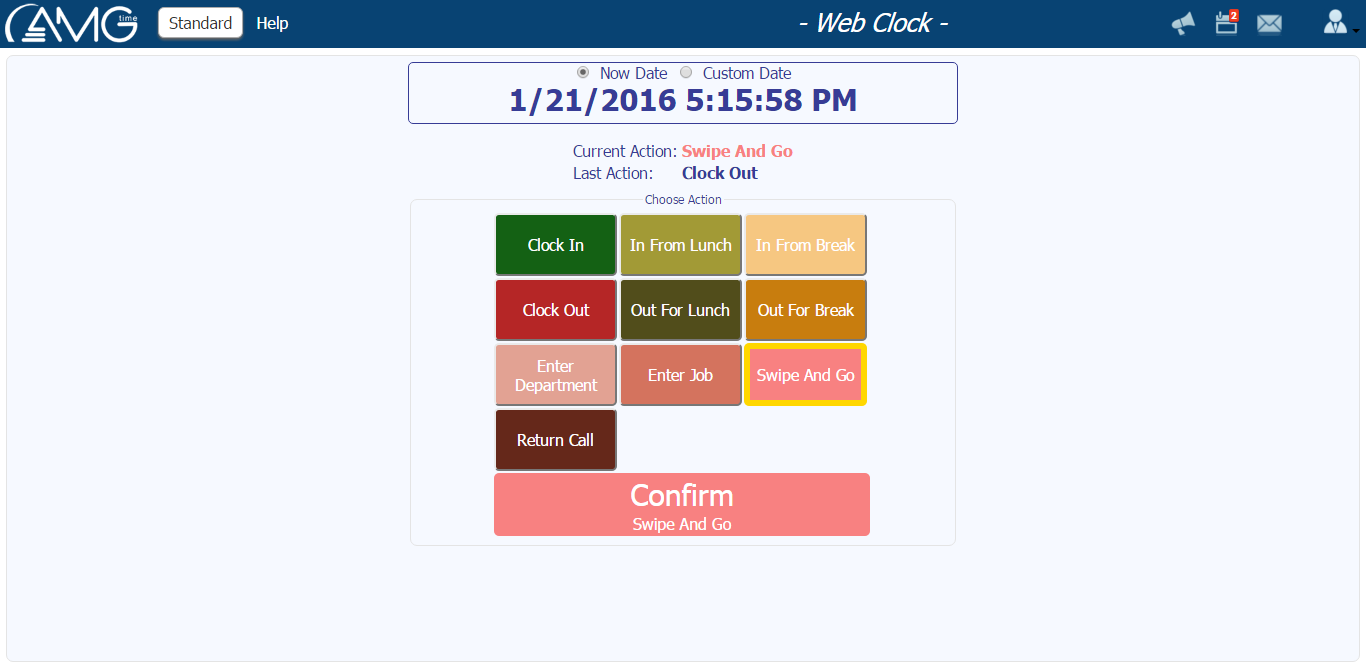
Web Clock page creates an imitation of a real device, giving opportunity to clock in and out like from the real device.
To commit a transaction you should do the following:
- Choose the action by pressing on the corresponding button. If no action button is pressed, then will be committed Swipe and Go transaction.
- In case of pressing on Enter Job button, you should select also the job from the pop-up list of jobs.
- If necessary, enter any notes and comments into Comments field, if the field is activated from Settings.
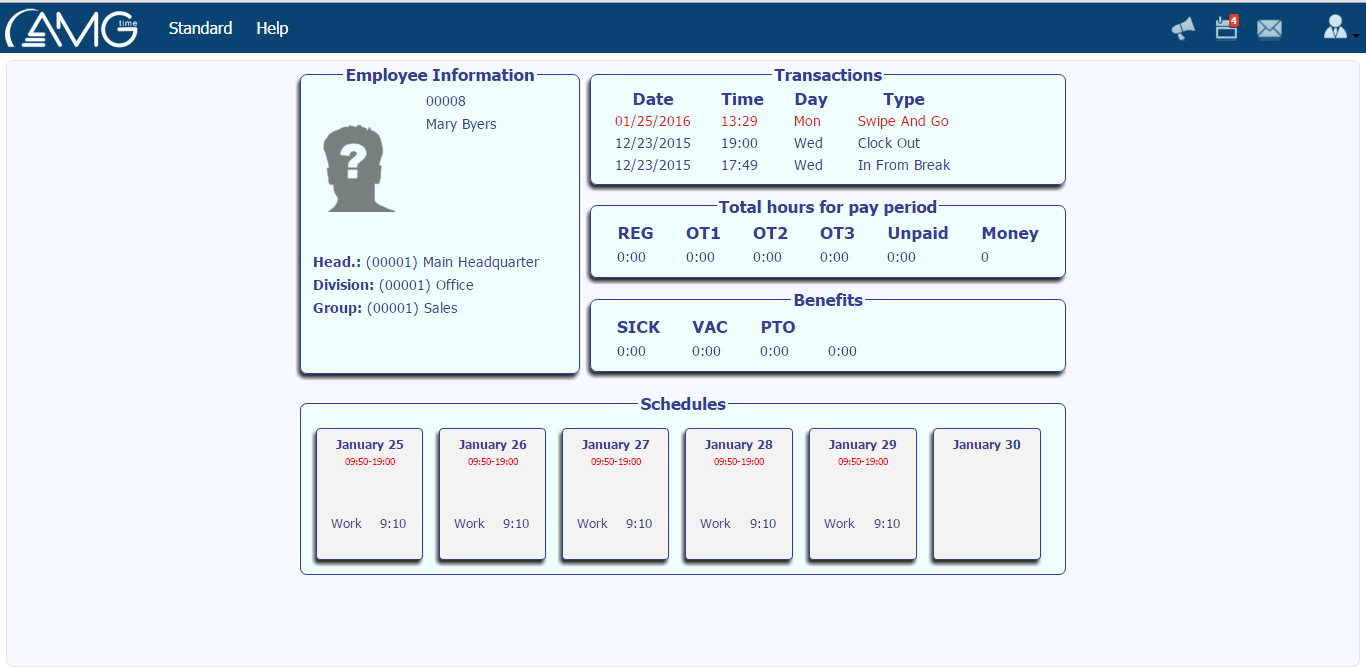
- Click on the Confirm button. As a result, the transaction will be committed and will appear Employee Details screen, which includes info about employee, last 3 transactions, total hours for current pay period, and schedules of upcoming 6 days.
|